

Share This Article
When your card top-up is declined
Your deposit attempt failed and the balance did not move. Work through these checks in order, from most to least likely, before you tap the button again. Run each step as a quick verification inside your own 1xBet app and your bank’s own channel, then stop where the rule tells you to stop.
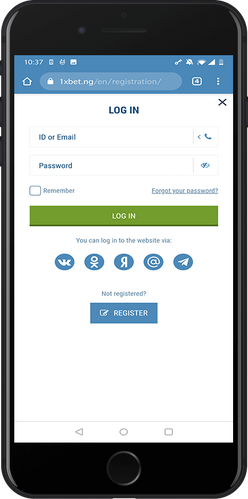
Card declines have several ordinary causes. Card limits, bank-side blocks, and verification prompts account for most of them, and each has a different fix. The goal is to identify the cause once rather than retry blind.
Check your card limits in your own app
Open your banking app or card issuer’s channel and look at your remaining daily and per-transaction allowance. A transfer can exceed your available balance or a per-transfer cap even when the card itself is fine. Verify the amount you are trying to send against what your own app reports as available.
- Safe action: Compare your intended deposit amount against the limit your banking app shows for a single transfer.
- Stop rule: If the amount sits above what your app reports, do not retry with the same figure. Lower it or change method.
A declined attempt does not mean the funds are gone, but repeated attempts at a figure you already know exceeds a limit will keep failing for the same reason.
Confirm the bank-side block
Banks sometimes stop outbound payments to gambling or betting merchants. This is a bank-side decision, not a 1xBet setting, and the app cannot override it. Check your bank’s own channel for recent outbound payment notifications or a pending security prompt on the transfer.
- Safe action: Look in your banking app for a pending approval request tied to this transfer, and approve it if one appears.
- Stop rule: If no approval request appears and the transfer still fails, stop retrying the card and move to a different method.
Some banks require you to call or message them before they release a blocked category of payment. That conversation happens entirely on the bank side and is outside the 1xBet app.
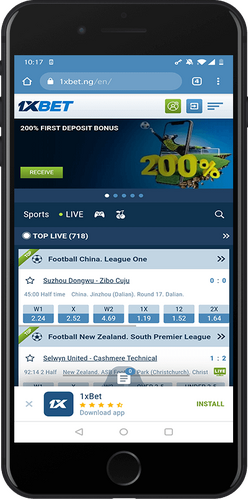
Watch for a verification prompt
1xBet may pause a deposit to ask for extra confirmation. The prompt appears inside the deposit flow itself, usually as a notice you must acknowledge or a request for additional details about the transaction. If the screen asks you for something, that is the reason the deposit has not gone through.
- Reopen the deposit screen and read the notice carefully before acting.
- Complete only the request shown on that screen — supply exactly what it asks for.
- If the prompt disappears without a clear answer, do not re-issue the deposit. Move to support instead.
A prompt left unanswered will hold the transaction, and retrying underneath it can restart the whole check. Read first, act once.
Retry discipline: one attempt, then a pause
Retrying a failed card deposit is tempting, and it is the wrong instinct when the cause is unknown. Each new attempt sends a fresh payment instruction, and a string of them can look like repeated failures on both your bank’s side and the app’s side. Give it one careful retry only after you have ruled out the checks above.
One attempt with a known-safe amount. Then a pause. If it declines again, stop using the card for this deposit.
- Safe action: Retry once, with an amount you have already confirmed sits within your limit.
- Stop rule: A second decline on the same card means you stop retrying and switch method or contact support.
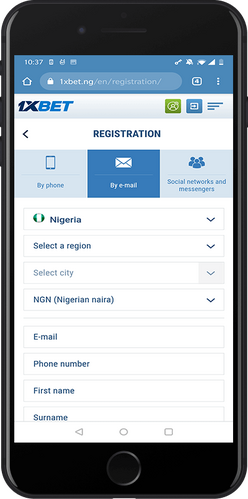
When to switch payment method
1xBet lists a wide range of payment systems in the deposit flow, and availability varies by region, so the options you see in your own app are the ones that apply to you. E-wallets and crypto are common alternatives when a card route keeps failing.
| Route | Use it when | Watch for |
|---|---|---|
| Bank card | Limits and blocks are cleared | Bank-side declines can return |
| E-wallets (for example Skrill or MoneyGo) | Card declines repeat | Method availability varies by region |
| Crypto (for example Bitcoin, Litecoin, Ethereum) | Card route is blocked entirely | Method availability varies by region |
Open the payment method list inside your 1xBet app and pick a route you have not tried. The list shows what is actually available to your account in your region; anything absent from that list cannot be selected. Other options such as UPI, AirTM, and iCash.One may also appear depending on where you are.
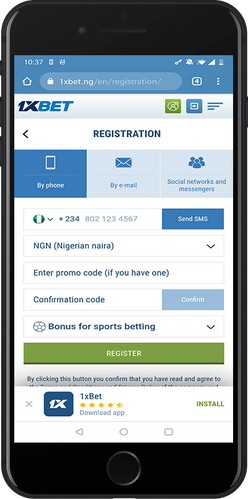
How to tell a limit issue from a bank block
These two causes look identical from inside the app: both produce a decline. They are separated by what your banking channel tells you rather than by anything the deposit screen reports.
| What your banking channel shows | Most likely cause | Next step |
|---|---|---|
| Transfer sits above a stated cap or available balance | Card limit | Lower the figure or pick another method |
| Pending approval or an outbound payment stop notice | Bank-side block | Approve or ask your bank, then decide |
| No visible limit issue and no stop notice | Unclear cause | Switch method or contact support |
The third row is the important one. When neither your limit nor your bank explains the decline, further card attempts are guessing, and guessing is where people waste attempts.
When support beats another attempt
Support is the right move once you have run the ordered checks and the card still declines, or once an in-app verification prompt will not clear. Contact support from inside your 1xBet account with the deposit attempt time and the method you used at hand, so they can look at that specific transaction rather than a general balance question.
- Safe action: Open support from within your account and report the failed attempt with its time and method.
- Stop rule: If support asks you to stop trying a route, stop — do not test their answer with one more deposit.
Deposits fund your sports betting activity in the app, and a blocked route does not block your whole account. Before your next betting round through 1xbet apps, confirm that your balance actually reflects a deposit that went through, not one that was merely requested.
Deeper technical background on how these in-app transfer requests are assembled sits with the browser-side specification at mobile payment, though your practical checks stay inside your app and your bank’s channel.
Checks that save the most time
- Confirm the amount against your own card limit before anything else.
- Look for a bank-side approval request on that transfer.
- Read any verification prompt inside the deposit screen before you re-issue.
- Allow exactly one retry after those three checks come back clear.
- Switch to another available method after a second decline.
- Contact support when the cause stays unclear or a prompt will not clear.
Most declines resolve at step one or two, and that is why the order matters. Skipping ahead to a new payment method is fine when your banking channel already ruled the card out, but only after you have read what that channel actually said.
FAQ
Will a declined deposit leave a pending charge on my card?
A declined attempt may show briefly as a pending hold in your banking app, which then drops off on its own once your bank releases it. If a hold stays past the point your bank normally releases such holds, contact your bank directly rather than retrying the deposit while the hold is still open.
Does the 1xBet minimum deposit matter if my card is declined?
A deposit below the minimum shown in your payment method list will fail for that reason alone, and it looks the same as a card decline. Check the minimum listed beside the method you chose inside your deposit screen before concluding that your card is at fault, then adjust the figure if needed.
I switched method but the first attempt still shows as failed — what now?
A failed attempt and a successful one can both appear in your deposit history around the same time, and the history may show the earlier one first. Check the current balance against each entry rather than reading the list top to bottom, since only the balance tells you which deposit actually landed.
Can I use a different card than the one registered on my account?
Your own deposit screen decides this. If the card you want to add is not offered as a choice, or the screen accepts it and declines it immediately, the route is not open to that card for this attempt. Move to another available method rather than testing the same screen repeatedly.
What if verification clears but my balance still has not changed?
Once a verification prompt is completed, the transfer may still be waiting on a final step on your bank’s side before your balance reflects it. Give it the time your banking channel normally takes for this type of transfer, then check the balance once. If nothing has moved by then, contact support with the attempt time instead of re-issuing it.
